
Use the Title style for the name of the document. Use Heading 1 for the main top-level section in the document structure.
Thinking of it as a roadmap: Title is the document name; Heading 1 is the first stop in the content structure.
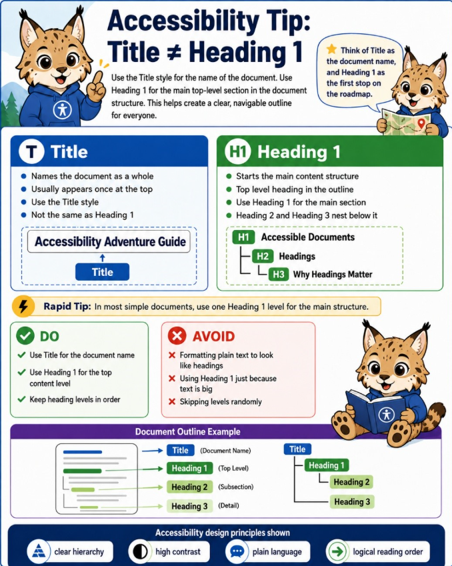
Title: names the document, usually appears once at the top, and uses the Title style.
Heading 1: begins the main content structure and serves as the top-level heading, with Heading 2 and Heading 3 nested beneath it.
Do: use Title for the document name, Heading 1 for the top content level, and keep heading levels in order.
Avoid: making plain text simply look like a heading, using Heading 1 just because text is large, or randomly skipping heading levels.
Interested in learning more about digital accessibility or scheduling a consultation?
Contact Rosanna Miiller Salas at: rosanna.miillersalas@ucdenver.edu
Small changes can create more inclusive digital experiences for everyone.