Accessibility Tips: Emojis, Symbols, and Screen Readers

Wide banner with a black background and gold border featuring a kawaii-style lynx mascot outlined in white and wearing an accessibility cap. The lynx rests its paws on a black sign with the words ‘Accessibility Tips’ in large gold and white text. A rainbow megaphone appears beside the mascot. On the right, bold high-contrast text reads ‘Practical tips. Stronger accessibility. Greater inclusion.’ in white and gold.

This Week’s Tip: Emojis, Symbols, and Screen Readers 

Did you know? Screen readers may read decorative symbols, repeated punctuation, or text emoticons literally, which can interrupt the flow of content for some users.
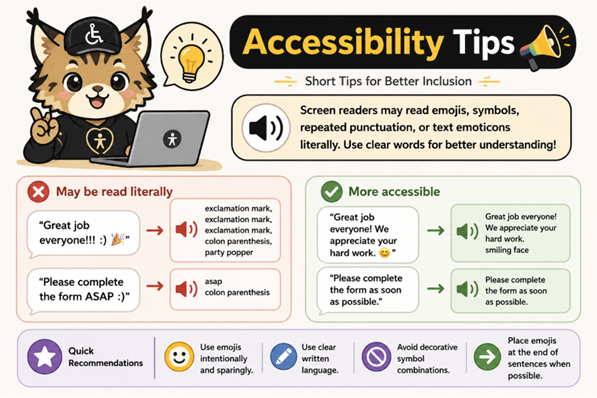
Infographic featuring a kawaii-style lynx accessibility mascot beside digital communication tips. The graphic explains how screen readers may read repeated punctuation, emojis, and text emoticons literally. Examples compare less accessible phrases using symbols and emojis with clearer, more accessible alternatives. The bottom section includes quick recommendations such as using emojis sparingly, writing clearly, avoiding decorative symbols, and placing emojis at the end of sentences.

Quick Recommendations 

✔ Use emojis intentionally and sparingly
✔ Use clear written language
✔ Avoid decorative symbol combinations
✔ Place emojis at the end of sentences when possible 

Interested in learning more about digital accessibility or scheduling a consultation? 

Contact Rosanna Miiller Salas at:
rosanna.miillersalas@ucdenver.edu 

Small changes can create more inclusive digital experiences for everyone.