
Help everyone navigate your Canvas course by writing links that describe where they lead. A meaningful link makes sense even when someone encounters it without the surrounding paragraph.
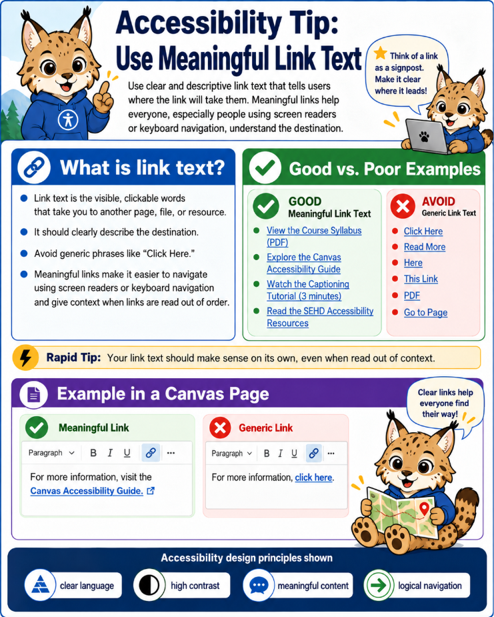
Infographic recap: Name the destination in the clickable text. Replace vague links such as “Click Here” with labels such as “View the Course Syllabus (PDF).”
Why?
Clear link names help screen reader users scan a list of links, support people navigating by keyboard, and help all readers decide where to go.
Do:
Use short, descriptive link text such as “Explore the Canvas Accessibility Guide.” Indicate the format when useful, for example, “View the Course Syllabus (PDF).”
Avoid:
Avoid “Click Here,” “Read More,” “Here,” and raw URLs when a descriptive name can explain the destination. Do not rely on nearby sentences to give a link meaning.
Try it this week!
Check one Canvas page. Find one unclear link and give it a descriptive name.
Let’s Connect!
Interested in exploring digital accessibility, have questions, or want to discuss your ideas? I’m here to help! Reach out to learn more or schedule a consultation.
Contact sehdhelp@ucdenver.edu with your accessibility request or directly Rosanna Miiller Salas at: rosanna.miillersalas@ucdenver.edu
Small changes can create more inclusive digital experiences for everyone.